Win more work
Get Google reviews after every job
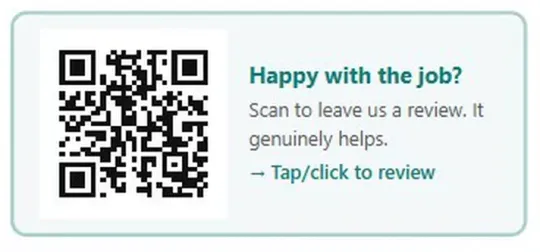
BlitzBooks puts a Google review QR code on every invoice you send. Paste your Google Business Profile review link into Settings once, and each invoice prints "Happy with the job? Scan to leave us a review" with a QR code and a tap-to-review link. You can also show the code full screen on your phone.
How it works in the app
- Step 1
Copy your review link
Open your Google Business Profile, tap Ask for reviews and copy the link Google gives you.
- Step 2
Paste it in Settings
Under Settings, Google Reviews, paste the link. BlitzBooks checks it is a usable web link and shows you the QR code to test.
- Step 3
Send invoices as normal
From now on every invoice prints the review box at the bottom. On paper the customer scans it; on a phone or laptop they tap it.
The details that matter
-
Asked at the right moment
The request arrives with the invoice, when the job is finished and the work is right in front of the customer.
-
Works on paper and on screen
The QR code is for printed invoices. On the PDF the whole box is a link, so the customer can tap or click it.
-
Show it on your phone
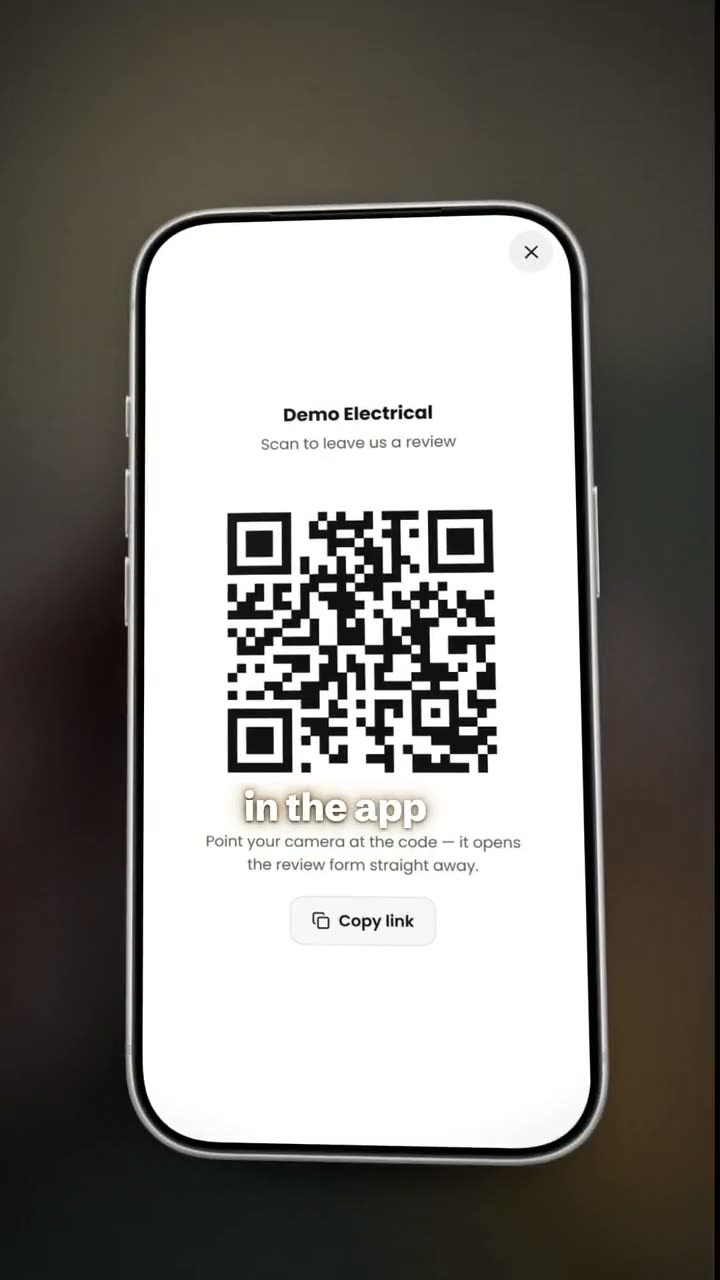
Review QR in the menu opens the code full screen on white, so a customer standing with you can scan it straight off your phone. It can also copy the link.
-
Invoices only, never quotations
You ask for the review once the work is done, not while you are still pitching for the job.
One scan from a happy customer to a Google review
Start free trialQuestions about google reviews
Where do I find my Google review link?
In your Google Business Profile. Tap Ask for reviews, copy the link Google gives you, and paste it into BlitzBooks under Settings, Google Reviews.
Does the review QR code go on quotations too?
No. It prints on invoices only, because a customer can only judge the job once it is done.
Can a customer tap the QR code on a PDF?
Yes. On the PDF the whole review box is a link, so a customer reading the invoice on their phone can tap it instead of scanning. Printed invoices use the QR code.
Do I need a Google Business Profile?
Yes. The QR code sends customers to your Google review form, so you need a Google Business Profile and its review link. Without a link set, invoices print as normal with no review box.
Works well with
Stop doing admin at 9pm.
Quote on site, invoice before you pack up, and see who owes you on one screen. 7 days free, then R200 a month for the whole business.
Card to start · nothing charged for 7 days · cancel in Settings
 Trusted by tradesmen across South Africa