Get paid
See who owes you: overdue invoices and aged debtors
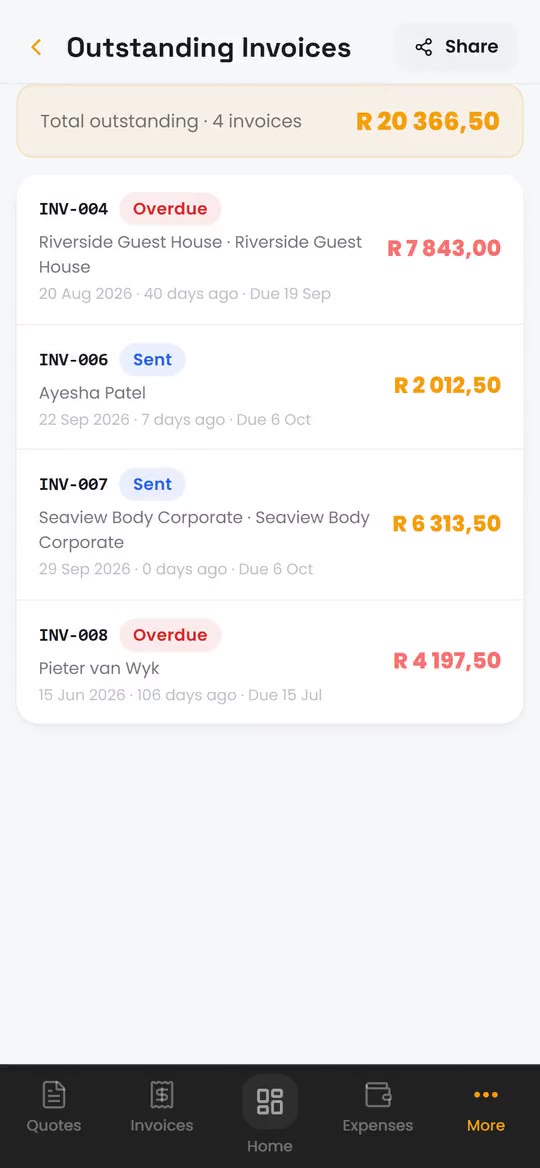
BlitzBooks shows who owes you money the moment you open it. The home screen totals what is outstanding and what is overdue, unpaid invoices past their due date are flagged in red, and the aged debtors report splits each customer's balance into 0 to 30, 31 to 60, 61 to 90 and 90+ days. You decide who to chase.
How it works in the app
- Step 1
Check the home screen
Outstanding and Overdue sit near the top. Tap Overdue to see only the invoices past their due date.
- Step 2
See who is furthest behind
Open Reports, then Aged Debtors, for each customer's balance by how long ago it was invoiced, biggest first.
- Step 3
Follow up your way
Open the client, tap WhatsApp or Call, and send them a statement or the invoice. Record the payment when it lands.
The details that matter
-
Overdue flagged for you
An unpaid invoice that passes its due date shows as overdue without you doing anything.
-
One outstanding total
The invoice list shows the total outstanding across every unpaid invoice, with filters for draft, sent, partial and overdue.
-
Aged debtors by customer
Columns for 0 to 30, 31 to 60, 61 to 90 and 90+ days per customer, with totals, shareable as a PDF.
-
Outstanding invoices report
Every unpaid invoice with its client, due date and how many days it has been out.
Read the guide: How to Chase a Late-Paying Customer

“My life is so much easier. Almost zero admin now.”
Questions about who owes you
Does BlitzBooks send payment reminders automatically?
No. BlitzBooks flags overdue invoices and shows who owes what, but it never messages your customers on its own. You decide who to chase, then send the invoice or a statement from your own WhatsApp. Our guide to chasing a late-paying customer covers what to say.
What is an aged debtors report?
It is a list of who owes you, split by how long the money has been owing. BlitzBooks groups each customer's unpaid balance into 0 to 30, 31 to 60, 61 to 90 and 90+ days, so the oldest debt stands out.
When does an invoice count as overdue?
Once its due date has passed and it is not fully paid. The due date comes from the payment terms you pick on the invoice: COD, 7, 14, 30 or 60 days, or a date you choose.
Can I send a customer a list of what they owe?
Yes. Open the client and tap Statement. It lists their invoices and payments for the period you pick, ends with the total outstanding, and shares as a PDF. See statements.
Works well with
Stop doing admin at 9pm.
Quote on site, invoice before you pack up, and see who owes you on one screen. 7 days free, then R200 a month for the whole business.
Card to start · nothing charged for 7 days · cancel in Settings

 Trusted by tradesmen across South Africa