Getting paid
How to make an invoice on your phone in South Africa
To make an invoice on your phone, use an invoicing app or a template, add your customer, describe the work, enter quantities and prices, and send the invoice as a PDF. In South Africa, a VAT-registered business must issue a tax invoice that shows its VAT number, VAT at 15% and the total in rand.
Step by step
- 1
Put your business details in once
In Settings, add your business name and logo under Branding, your VAT Registration Number under VAT, and your bank, account number and branch code under Banking Details. They print on every invoice from then on.
- 2
Start a new invoice
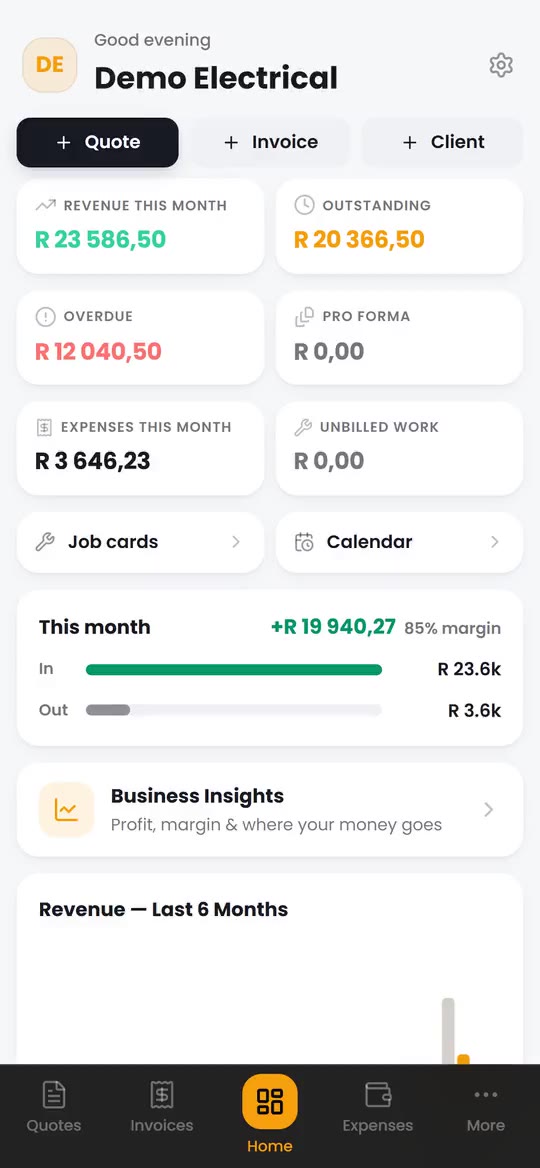
On the home screen, tap + Invoice. The invoice number fills in for you from your invoice prefix and start number, so every invoice gets the next number in the series.
- 3
Pick the customer
Choose a saved client from Link to client, or type the name, company, email and address. If the customer is VAT registered, add their VAT number in Client VAT Reg No.
- 4
Add the work
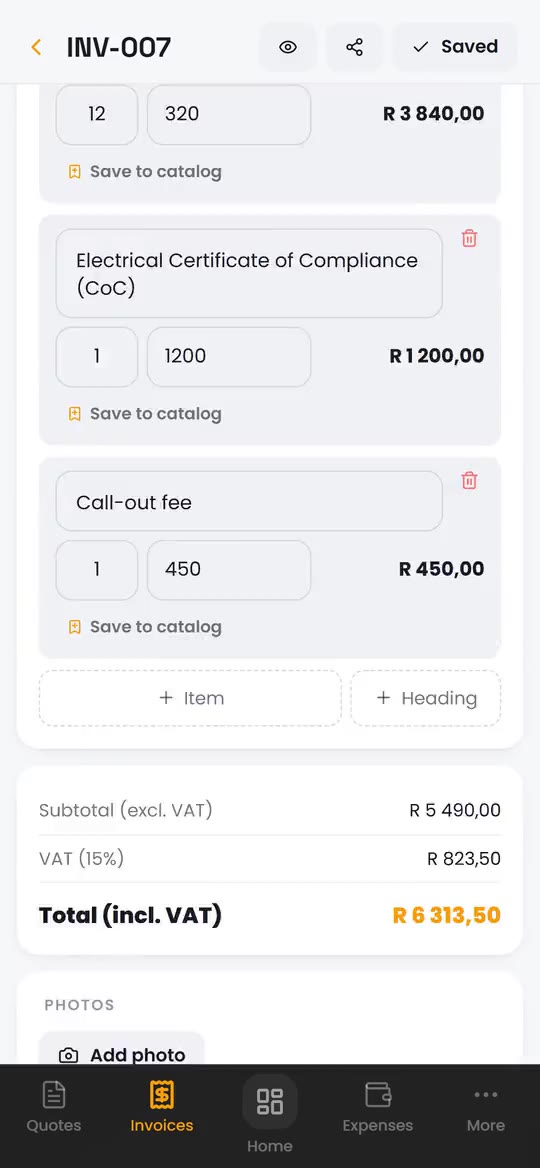
Tap + Item and enter a description, the quantity and the unit price, or tap From Catalog for the items you charge often. The subtotal, VAT at 15% and the total add up as you type. Already quoted the job? Open the accepted quotation and tap Convert to Invoice instead, and every line carries across.
- 5
Set the terms and save
Pick the payment terms: COD, Net 7, 14, 30 or 60 days, or a custom due date. Tap Create to save the invoice.
- 6
Check it and send it
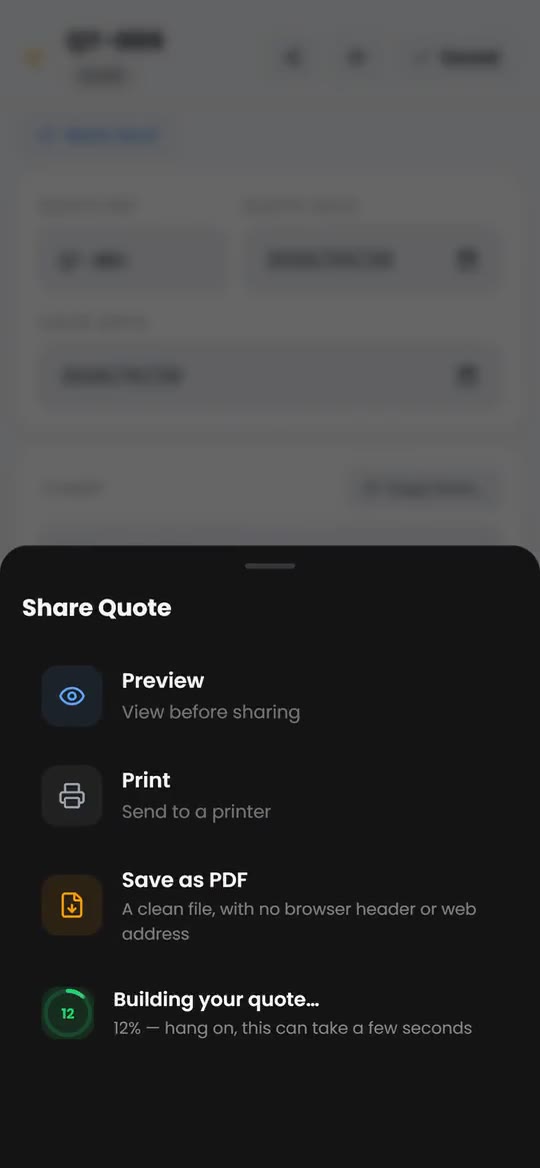
Tap the share icon. Preview shows the PDF your customer will get. Tap Share, wait for PDF ready, tap again and pick WhatsApp or email on your phone. Then tap Mark as Sent.
- 7
Record the payment
When the money lands, open the invoice and tap Record Payment. Enter the amount, date and method. A part payment lowers the balance due, and the invoice shows paid in full once it reaches zero.
What must be on a tax invoice in South Africa?
A tax invoice must show the words Tax Invoice, your business name, address and VAT number, a unique invoice number, the date, a description of the work, and the value, the VAT and the total. For a total over R5,000 including VAT, SARS also needs a full tax invoice with the customer's name and address, their VAT number if they are registered, and the quantity supplied.
A BlitzBooks invoice prints under the heading Tax Invoice with your VAT number, the customer's if you add it, the subtotal excluding VAT, VAT at 15% and the total in rand. Our guide to what must be on a tax invoice lists every field SARS looks for, including the shorter abridged invoice for R5,000 or less.
Can I make an invoice on my phone for free?
Yes, you can make an invoice on your phone for free with a template, but you number the invoices, add up the lines and work out the VAT yourself. Fill in the template in Word, Google Docs or a notes app and save it as a PDF. Our free invoice template has a tax invoice layout and a plain one for businesses not registered for VAT.
An invoicing app does the numbering and the sums for you and keeps a record of who has paid. BlitzBooks has no free plan: it has a 7-day free trial, started with a card, and then costs R200 a month for the whole business. Cancel in Settings before the trial ends and you pay nothing. See pricing.
Should I send an invoice as a PDF or a photo?
Send a PDF. A PDF keeps your layout, VAT figures and banking details sharp, it can be saved and forwarded to whoever pays the bills, and it prints cleanly. A screenshot or photo of an invoice is hard to read, easy to crop and awkward to file. See sending quotations and invoices on WhatsApp for how the PDF reaches the customer's chat.
Questions
Can I make an invoice on my phone?
Yes. Any invoicing app or template that saves a PDF will do it. BlitzBooks runs in the browser on any modern iPhone or Android phone, and you can add it to your home screen so it opens like any other app.
Does my invoice need my VAT number?
Yes, if you are VAT registered. A tax invoice must show your VAT registration number. Add it once in BlitzBooks under Settings, VAT, and it prints on every invoice.
How do I number my invoices?
Give every invoice its own number in one unbroken series, such as INV-001, INV-002. BlitzBooks does this for you: set the prefix and start number in Settings and each new invoice takes the next number.
Can I turn a quotation into an invoice?
Yes. In BlitzBooks, mark the quotation accepted and tap Convert to Invoice. A draft invoice opens with the same lines, ready to check, save and send.
How do I show the customer how to pay me?
Print your banking details on the invoice and ask the customer to use the invoice number as the payment reference. BlitzBooks prints your bank, account number and branch code with the line "Use your reference" and the invoice number.
Do it on your phone, today.
Quote on site, invoice before you pack up, and see who owes you on one screen. 7 days free, then R200 a month for the whole business.
Card to start · nothing charged for 7 days · cancel in Settings

 Trusted by tradesmen across South Africa